Screenshots
See it in action
A closer look at the main window, live diagnostics, and settings.
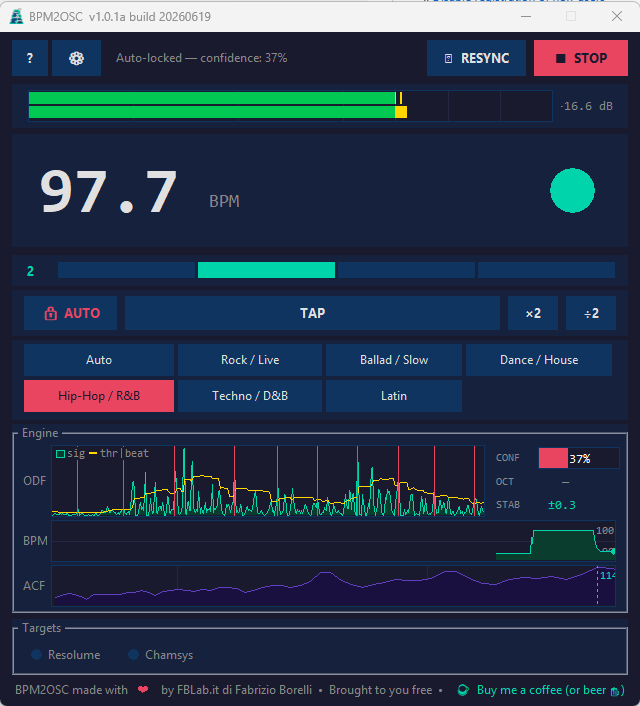
Main window
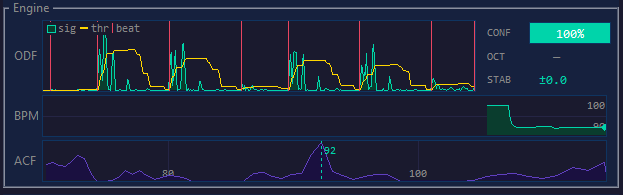
AlgoMonitor — Engine diagnostics
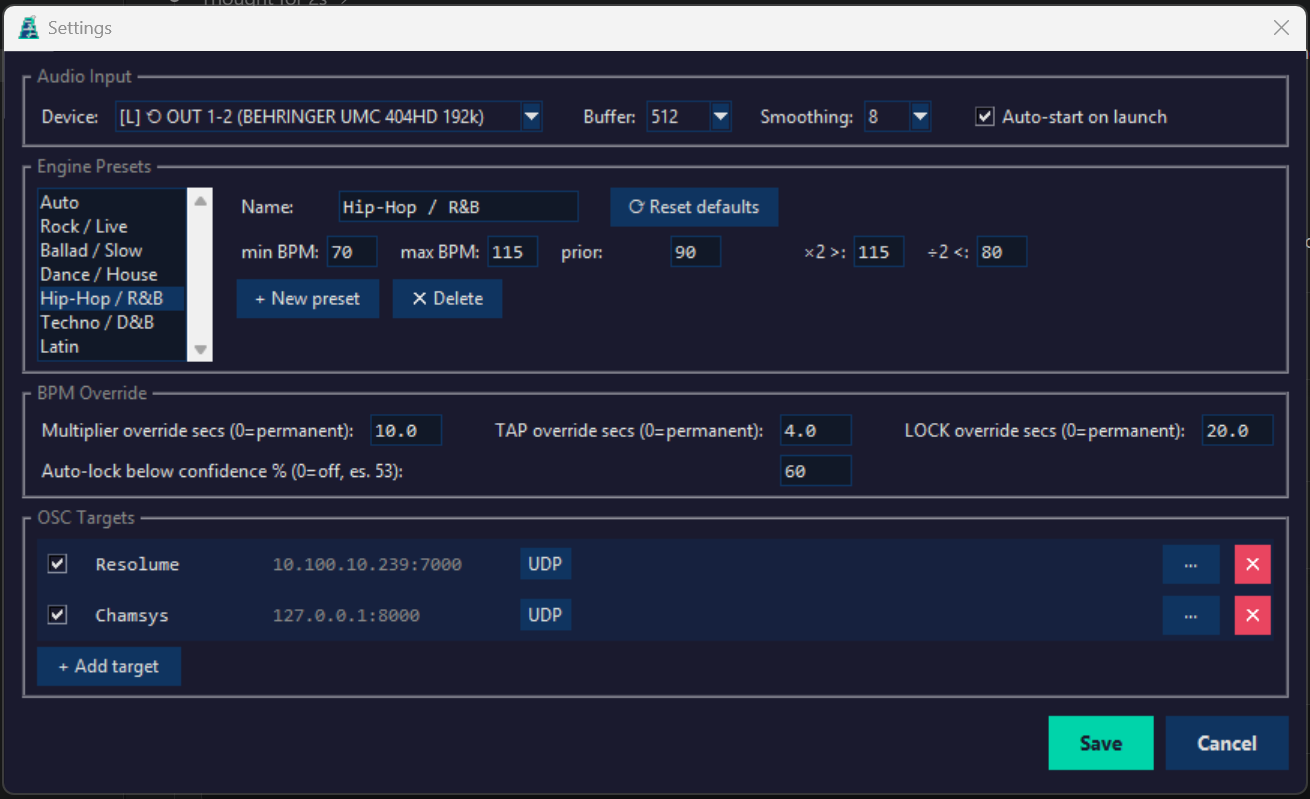
Settings
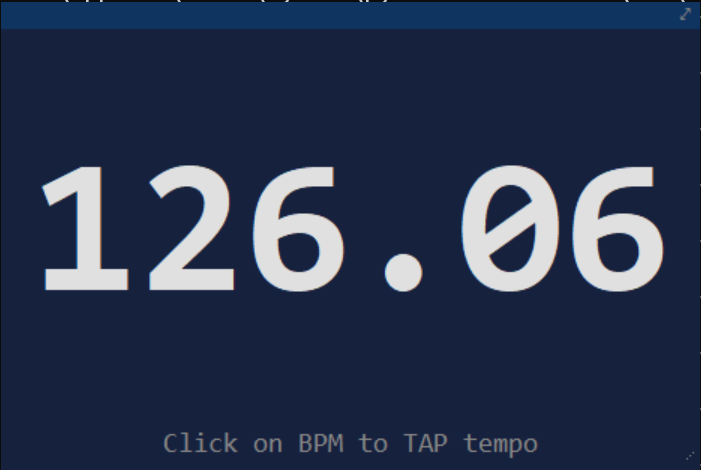
Mini window
BPM2OSC listens to any audio source and streams tempo data over OSC to lighting consoles, VJ software, and show-control systems — with zero latency overhead and no cloud dependency.
Built for live events, DJ sets, and show-control environments where rock-solid tempo data needs to reach multiple systems simultaneously.
No external beat-tracking libraries. The pipeline — high-pass filter, Superflux ODF, multi-scale ACF, multipath EMA hypothesis, Kalman filter — is implemented in pure Python/NumPy/SciPy for full transparency and zero black-box surprises.
Send BPM and beat triggers to any number of destinations simultaneously over UDP or TCP. Each target has its own OSC paths, protocol, and enable toggle.
Capture whatever is playing through your speakers or headphones — no physical cable needed. Perfect for DJ software, media players, or any desktop audio source.
7 built-in presets pre-tuned for Rock, House, Hip-Hop, Techno, Latin, and more. In Auto mode the octave-correction gates self-narrow around the first stable tempo, so the engine adapts to the genre automatically without manual selection.
Freeze the BPM automatically when detection confidence drops — e.g. during breakdowns or DJ transitions. The display and OSC hold the last good value without any manual intervention.
Override the engine instantly by tapping or halving/doubling the detected value. Configurable timeouts let overrides expire automatically so you never forget to undo one.
Live diagnostic panel showing the ODF waveform, adaptive threshold, onset ticks, CONFIDENCE bar, OCTAVE badge, STABILITY readout (±0.01 BPM), PRECISION state (NORM / SYNC / HIGH), BPM history graph, and full ACF score curve — all at 50 fps.
A complex DFT at the detected tempo frequency gives the absolute time of the next beat, used to phase-lock the metronome automatically. No manual RESYNC required between songs.
Per-channel RMS bars with peak hold and decay. Green / yellow / red zones match the classic −18 dB / −6 dB broadcast thresholds. Automatically expands for stereo and multi-channel devices.
Built-in web server (port 5000) serves a real-time remote control page from any browser on your LAN — no install required. All controls available as REST endpoints for Bitfocus Companion via Generic HTTP, or use the dedicated native module for full actions, feedbacks, variables, and Stream Deck presets.
The detection engine runs on a dedicated audio thread and never blocks the UI. Every step is tunable and visible in the AlgoMonitor panel.
A 2nd-order Butterworth high-pass at 20 Hz removes DC and sub-bass rumble before onset detection. The Superflux ODF then measures half-wave-rectified spectral flux against a max-pooled previous frame, weighted across 5 sub-bands. Suppresses vibrato and pitch-modulation false positives.
Two parallel autocorrelation windows — 12 s (long, stable) and 4 s (short, reactive) — with harmonic scoring S(L) = Σ acf[k·L]/k for k = 1…16. The short window drives fast-adapt: if its high-confidence BPM diverges >8% from the Kalman estimate, the filter snaps immediately to the new tempo.
Four competing hypotheses — BASE, ÷2, ×2, 4:3 — each accumulate EMA votes across frames (α=0.70). A hypothesis commits only after reaching 54% share (~7 frames ≈ 2.5 s of consistent evidence), preventing single-frame octave flips during breakdowns and genre transitions.
Two gates protect the Kalman: Gate 2 discards flat-spectrum frames (score < 2.5× noise floor). Gate 3 — the breakdown hold — raises the bar to 0.60 once the Kalman is initialised, blocking hi-hat and pad periodicities from drifting the estimate during breakdowns.
Readings that jump >15% from the recent median are capped at the median unless a deliberate hypothesis correction is active. A scalar Kalman filter smooths the output; after sustained high-confidence frames it enters precision mode (tighter Q/R). DFT Newton iterations refine each ACF estimate to sub-0.01 BPM; on stable signals, beat-grid IRLS regression over accumulated beat timestamps blends in for added long-term accuracy.
If the long-window ACF is confidently at a BPM that disagrees with the Kalman by >20% for ~2.8 s (8 consecutive frames), the engine is locked to a false tempo — typically from a prior fast-adapt snap. The Kalman is force-reset to the ACF reading, and fast-adapt is inhibited for ~7 s to let the long window re-stabilise before a new snap is allowed.
After 15 consecutive high-confidence frames (≥ 0.75) the Gaussian prior self-anchors to the current Kalman value, keeping the engine centered on the active tempo through long sets without manual intervention. In Auto mode the octave-correction gates also narrow dynamically around the stabilised BPM.
Complex DFT at the tempo frequency gives the instantaneous beat phase → absolute wall-clock time of the next beat. The UI metronome phase-locks to this without any manual RESYNC (Müller 2015 §6.2).
BPM, beat trigger, bar position (1–4), and confidence (0.0–1.0) are broadcast over UDP or TCP to all configured targets. Paths are fully configurable per target. BPM is sent only on change plus a 10 s keepalive to keep network traffic minimal.
BPM2OSC sends five message types. Paths, port, and protocol are fully configurable per target.
/composition/tempocontroller/tempo,
port 7000, normalize on (min 20 / max 500). Resync maps to /composition/tempocontroller/resync.
Each preset sets the BPM search range, the Gaussian prior, and the octave-correction gates. Select one with a single click — or fine-tune the numeric values manually.
A closer look at the main window, live diagnostics, and settings.
Main window
AlgoMonitor — Engine diagnostics
Settings
Mini window
/bpm2osc/confidence and /beat/bar, fully configurable per target.Free Windows installer. No account, no subscription, no telemetry.
⬇ Download for WindowsFound a bug, have a feature request, or want to integrate BPM2OSC with your console?
✉ Contact info@fblab.it Read the full manual →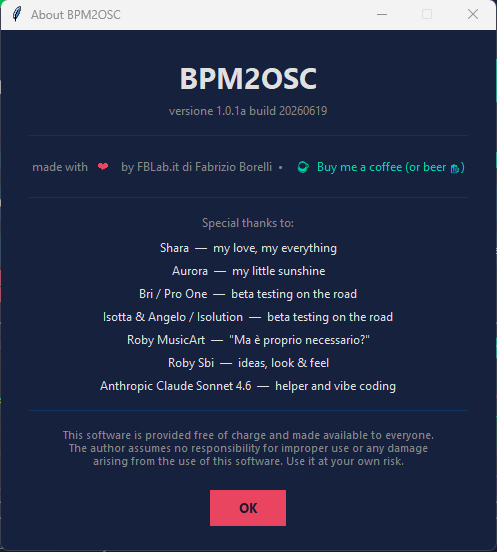
BPM2OSC is free software, built by Fabrizio Borelli / FBLab.it
and given to the live-events community at no cost.
Special thanks to Shara, Aurora, Bri / Pro One,
Isotta & Angelo / Isolution, Roby MusicArt, Roby Sbi,
and Anthropic Claude Sonnet 4.6 for help, beta testing, and vibe coding.